

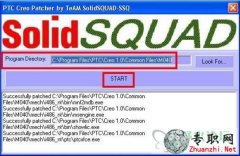

PTC Creo 1.0 (2.0) Mxxx 32/64bit patcher (by SSQ)
1. Open ptc_licfile.dat with any txt-editor and replace every occurrence of 00-00-00-00-00-00 with you network
card MAC-address (shown in the bottom left corner of the Creo setup)
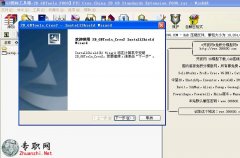
2. Install Creo 1.0 (2.0) Mxxx 32/64bit (Parametric, Direct, Simulate, Distributed Services Manager) using
ptc_licfile.dat as node-locked license (no Server running)
3. Run PTC_Creo_Patcher_SSQ.exe
ATTENTION! On Vista/Win7 you mast run it as Administrator! (right mouse click > run as Administrator)
4. Click Look For..
5. For Creo Parametric, Direct or Simulate browse to <Creo 1.0 (2.0) Mxxx root directory>
(by default C:\Program Files\PTC\Creo 1.0(2.0)\Common Files\Mxxx\) and click Look For..
6. Be sure that you’ve got a right path in Program Directory tab Click Start
7. Wait for window All files seem to be patched. Enjoy! Click OK
8. For Creo Distributed Services Manager browse to <Creo 1.0 (2.0) Distributed Services Manager root directory>
(by default C:\Program Files\PTC\Creo 1.0(2.0)\Creo Distributed Services Manager \) and click Look For..
9. Be sure that you’ve got a right path in Program Directory tab Click Start
10. Wait for window All files seem to be patched. Enjoy! Click OK
That’s all… Enjoy!
Team-SolidSQUAD (SSQ)

1. Open ptc_licfile.dat with any txt-editor and replace every occurrence of 00-00-00-00-00-00 with you network
card MAC-address (shown in the bottom left corner of the Creo setup)
2. Install Creo 1.0 (2.0) Mxxx 32/64bit (Parametric, Direct, Simulate, Distributed Services Manager) using
ptc_licfile.dat as node-locked license (no Server running)
3. Run PTC_Creo_Patcher_SSQ.exe
ATTENTION! On Vista/Win7 you mast run it as Administrator! (right mouse click > run as Administrator)
4. Click Look For..
5. For Creo Parametric, Direct or Simulate browse to <Creo 1.0 (2.0) Mxxx root directory>
(by default C:\Program Files\PTC\Creo 1.0(2.0)\Common Files\Mxxx\) and click Look For..
6. Be sure that you’ve got a right path in Program Directory tab Click Start
7. Wait for window All files seem to be patched. Enjoy! Click OK
8. For Creo Distributed Services Manager browse to <Creo 1.0 (2.0) Distributed Services Manager root directory>
(by default C:\Program Files\PTC\Creo 1.0(2.0)\Creo Distributed Services Manager \) and click Look For..
9. Be sure that you’ve got a right path in Program Directory tab Click Start
10. Wait for window All files seem to be patched. Enjoy! Click OK
That’s all… Enjoy!
Team-SolidSQUAD (SSQ)

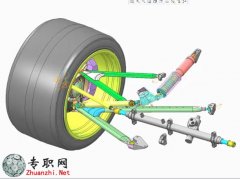
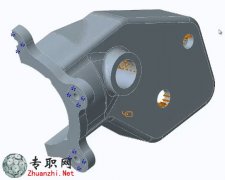
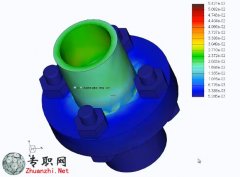


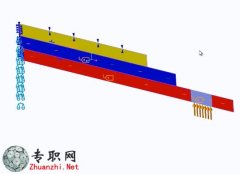
 Creo Simulate定义存在有限摩擦
的接
Creo Simulate定义存在有限摩擦
Creo Simulate定义存在有限摩擦的接
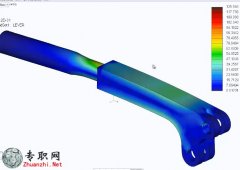 Creo Simulate用于查询结果的改
进工
Creo Simulate用于查询结果的改
Creo Simulate用于查询结果的改进工
 Creo Simulate从“模型树”查看
Creo Simulate从模型树查看已保存的
Creo Simulate从“模型树”查看
Creo Simulate从模型树查看已保存的
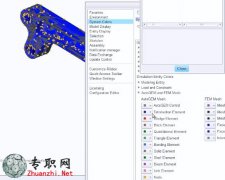 Creo Simulate更改图元颜色 _PTC
 Cre
Creo Simulate更改图元颜色 _PTC
Creo Simulate更改图元颜色 _PTC Cre
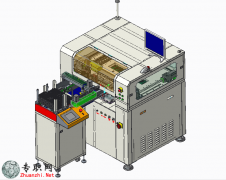 全自动机IC芯片烧录程序自动写入
设备
全自动机IC芯片烧录程序自动写入
全自动机IC芯片烧录程序自动写入设备
 双电批双轴自动锁螺丝机3D模型_S
双电批双轴自动锁螺丝机3D模型 _Soli
双电批双轴自动锁螺丝机3D模型_S
双电批双轴自动锁螺丝机3D模型 _Soli
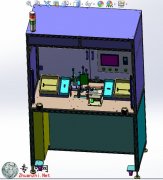 插头组装机3D模型_proe设计_STP/
STEP
插头组装机3D模型_proe设计_STP/
插头组装机3D模型_proe设计_STP/STEP
 复杂汽车发动机缸自动化生产线3D
一款复杂的汽车发动机缸自动化生产线
复杂汽车发动机缸自动化生产线3D
一款复杂的汽车发动机缸自动化生产线
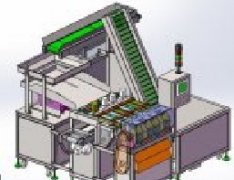 全自动胡萝卜加工切片机3D模型_S
olid
全自动胡萝卜加工切片机3D模型_S
全自动胡萝卜加工切片机3D模型_Solid
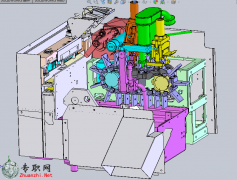 整体饮料生产线包装包装机3D模型
_Sol
整体饮料生产线包装包装机3D模型
整体饮料生产线包装包装机3D模型_Sol
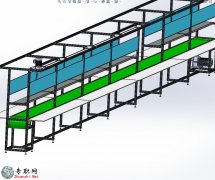 15米铝型材皮带流水线3D模型_Sol
idWo
15米铝型材皮带流水线3D模型_Sol
15米铝型材皮带流水线3D模型_SolidWo
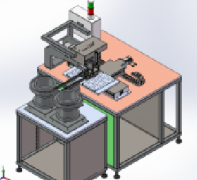 985元件双振动盘凸轮机构自动包
装机3
985元件双振动盘凸轮机构自动包
985元件双振动盘凸轮机构自动包装机3
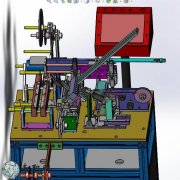 元件自动检测包装机3D模型_Solid
Work
元件自动检测包装机3D模型_Solid
元件自动检测包装机3D模型_SolidWork
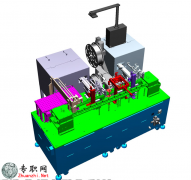 新设计自动组装机3D模型_SolidWo
rks
新设计自动组装机3D模型_SolidWo
新设计自动组装机3D模型_SolidWorks
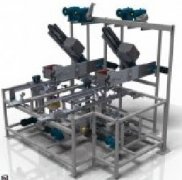 折叠式包装机、折叠盒包装机3D模
型_I
折叠式包装机、折叠盒包装机3D模
折叠式包装机、折叠盒包装机3D模型_I
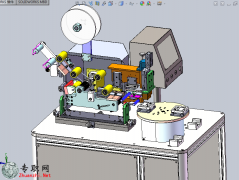 SW2012自动贴膜机非标设备3D模型
SW2012自动贴膜机设备设计3d模型分享
SW2012自动贴膜机非标设备3D模型
SW2012自动贴膜机设备设计3d模型分享
